MainParent Class Reference
Class that sits at the root of the app. More...
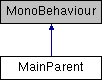
Inheritance diagram for MainParent:
Public Member Functions | |
| void | StartGame () |
| Instantiate/initialize ar scene object and placer; open ar placement UI/close main menu. More... | |
| void | OpenMainUI () |
| Destroy arSceneObject and placer instances, close the AR placement UI, return to main UI (and portrait mode). More... | |
| void | OpenARPlacementUI () |
| Close the main UI, open the AR placement UI, and allow the user to rotate to switch between landscape and portrait modes. More... | |
| void | AllowAutoRotate () |
| Allow screen to switch between Portrait and Landscape modes as user rotates device. More... | |
| void | ForcePortrait () |
| Force screen to stay in Portrait mode regardless of device orientation. More... | |
Detailed Description
Class that sits at the root of the app.
Initializes scene objects and determines whether the main menu or the AR scene is visible to the user.
Member Function Documentation
◆ AllowAutoRotate()
| void MainParent.AllowAutoRotate | ( | ) |
Allow screen to switch between Portrait and Landscape modes as user rotates device.
◆ ForcePortrait()
| void MainParent.ForcePortrait | ( | ) |
Force screen to stay in Portrait mode regardless of device orientation.
◆ OpenARPlacementUI()
| void MainParent.OpenARPlacementUI | ( | ) |
Close the main UI, open the AR placement UI, and allow the user to rotate to switch between landscape and portrait modes.
◆ OpenMainUI()
| void MainParent.OpenMainUI | ( | ) |
Destroy arSceneObject and placer instances, close the AR placement UI, return to main UI (and portrait mode).
◆ StartGame()
| void MainParent.StartGame | ( | ) |
Instantiate/initialize ar scene object and placer; open ar placement UI/close main menu.
(ie: Start the Game.)
The documentation for this class was generated from the following file:
- D:/Unity Files/Base AR App/Assets/Scripts/Default AR App/MainParent.cs